Homes We've Purchased
Drag the slider on each photo to reveal the before and after. Every home bought as-is — no repairs required from the seller.

Star Home Solutions — Featured Ad
Here's our ad in the well respected Spring Hills Assisted Living and Memory Care Community in Lake Mary. This brochure is given to prospective residents. When a loved one moves into assisted living, the family home often needs to be sold quickly — no repairs, no commissions, no stress. That's what we do.
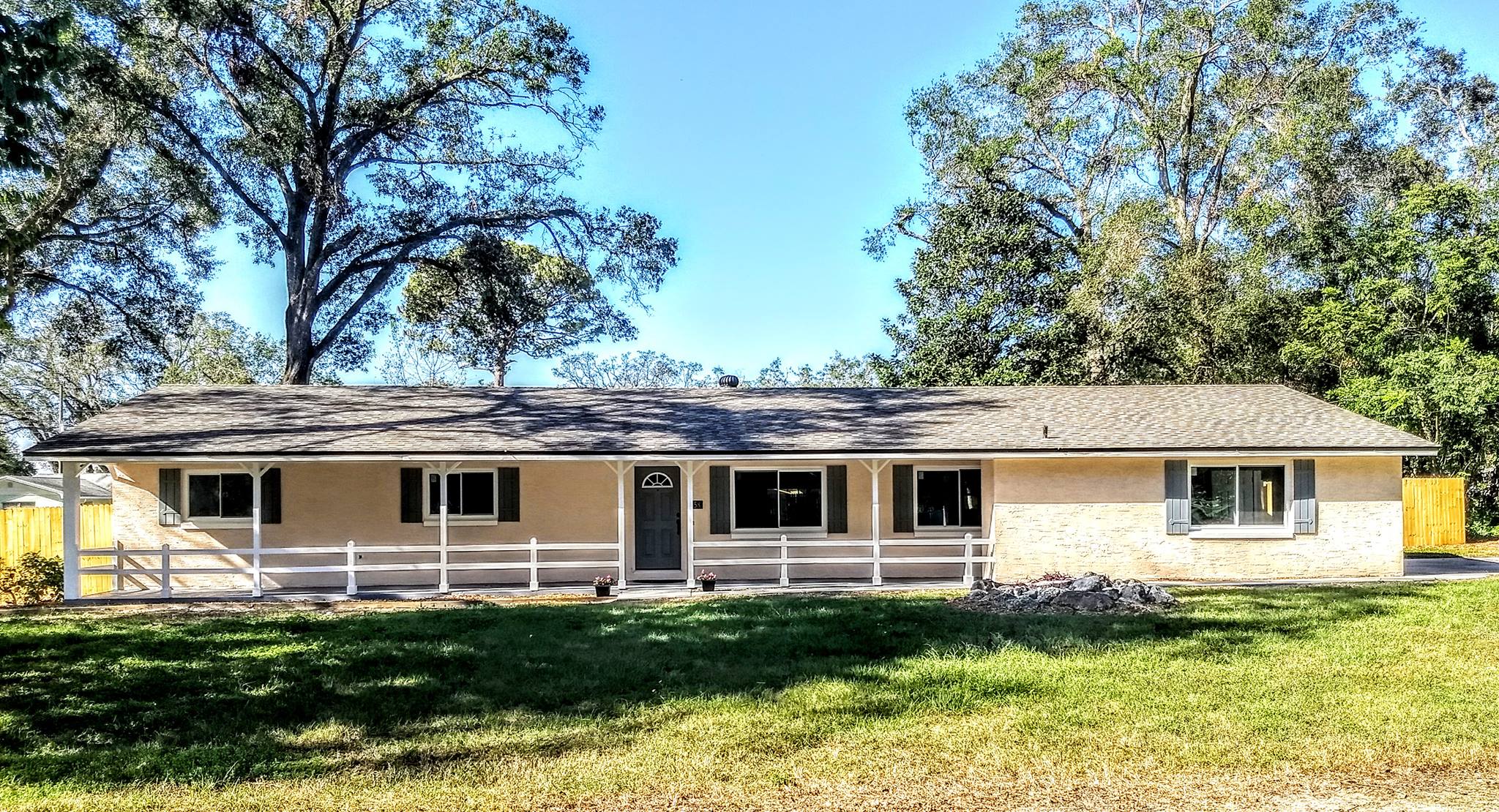
Eileen Ave — Where It All Started
This was our very first property — a sprawling ranch-style home on nearly half an acre. Before we even closed, a tree in the backyard split in half and dropped straight through the back fence. We rebuilt it. A couple of weeks later Hurricane Irma arrived and snapped the other half of that same tree — right into the same spot. We rebuilt it again. Rough start to a new business, but we weren't going anywhere.
We completed a full renovation and sold it to a buyer who loved it. Last time we drove by they had added two outbuildings and were running what looked like a landscaping business out of the property. That's what a good investment looks like —
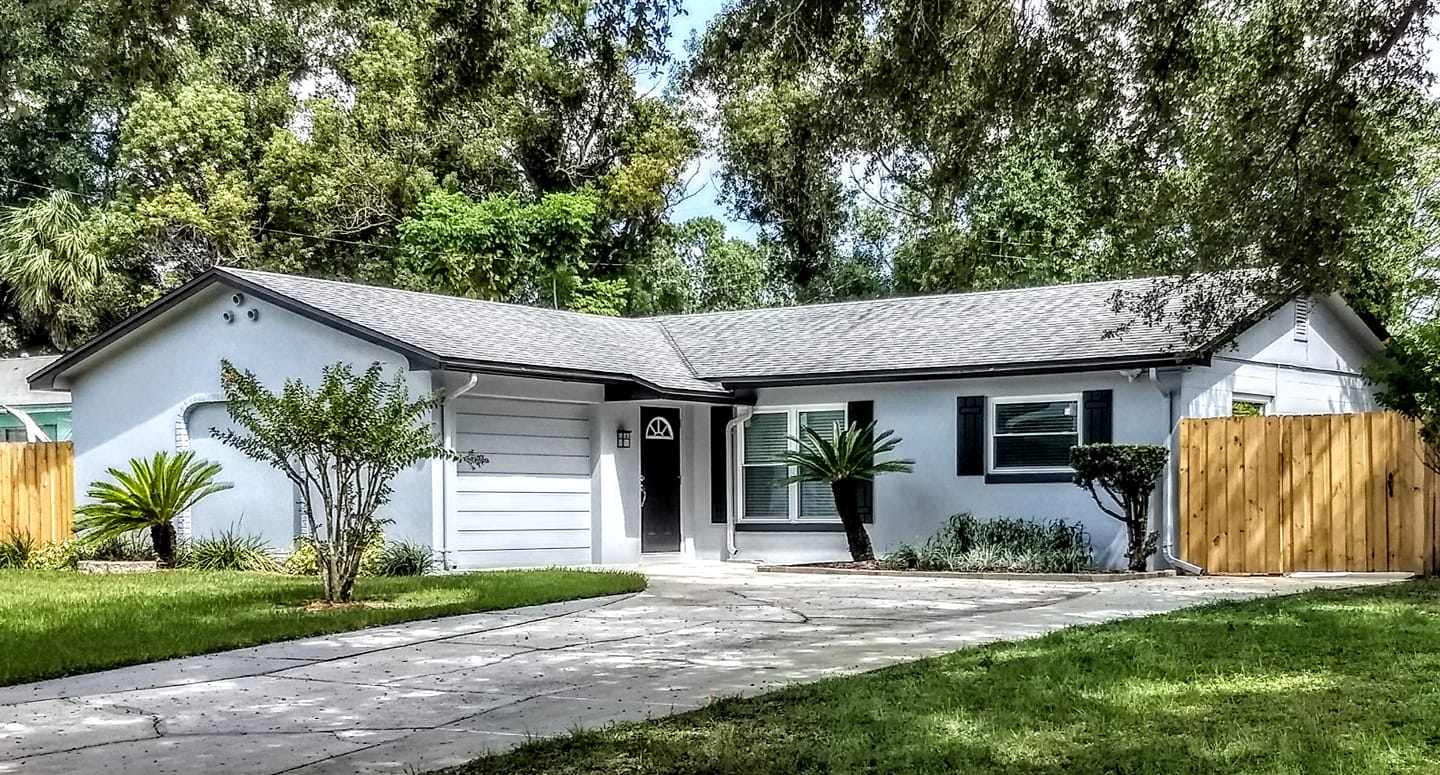
A Family in Need
A friend came to us with an urgent situation — he needed exactly $100,000 to cover his grandson's medical care. We stepped in, covered all costs, and handed him a check for exactly $100,000 at closing. No commissions. No closing costs. Nothing taken out. Just the full amount he needed, right when he needed it.
He and his family were in tears at closing when they realized what had actually happened for them. That moment is why we do this. We then completed a full renovation — fresh exterior, new landscaping, new fence — and turned it into a home someone else could love.
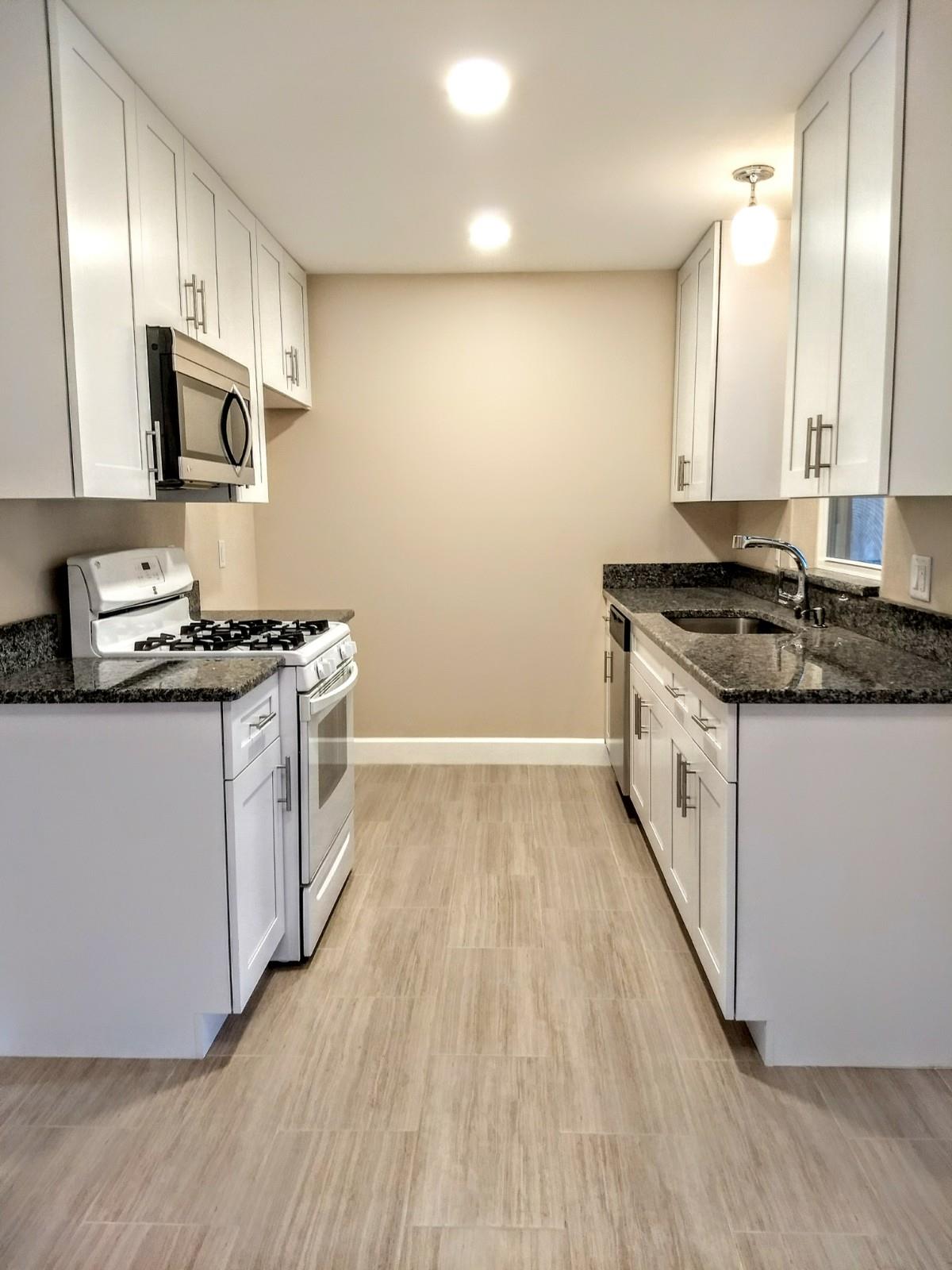
Kitchen After
The kitchen in this property was completely gutted and rebuilt. New granite countertops, white shaker cabinets, updated appliances, porcelain tile floors, and recessed lighting throughout. This is what we mean when we say full renovation — every detail handled so the next owner walks into a move-in ready home.
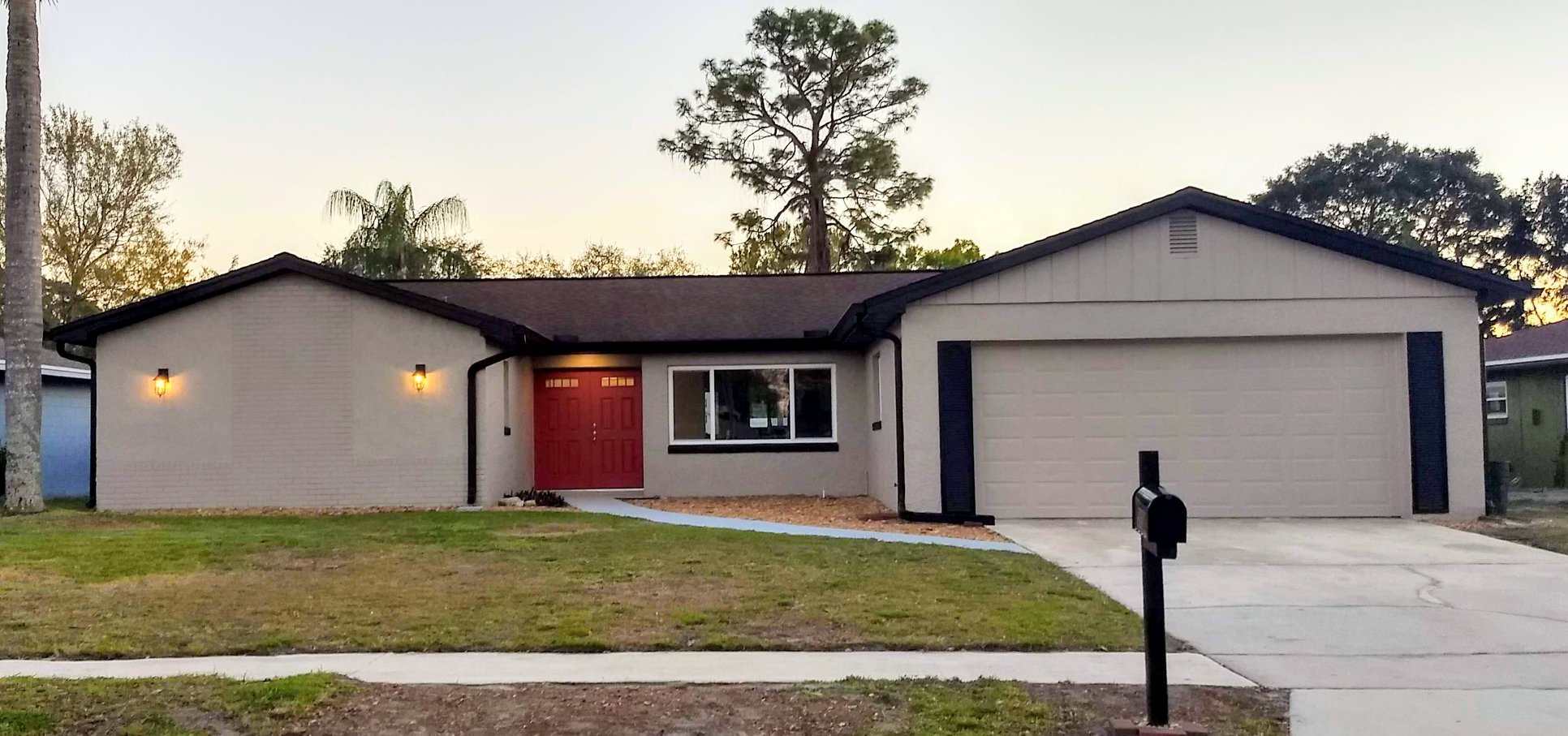
Our First Pool Home
This property came with a beautiful pool and a whole new set of challenges. Overgrown trees and landscaping were constantly dropping debris into the pool, and tree roots had worked their way into the pool equipment. We cleared it all out, dealt with the root damage, and got everything running properly again.
The result speaks for itself — fresh exterior paint, bold red double doors, new landscaping, and that two-car garage cleaned up and ready to go. Every deal teaches you something new and this one taught us a lot about pools.
Pool Home — Landscape Demo
Before this backyard became the showpiece you see in the finished photo, it needed a complete landscape demolition. This clip shows the overgrown yard and tree-root-choked landscaping being torn out to make way for the new pool deck and fresh sod.
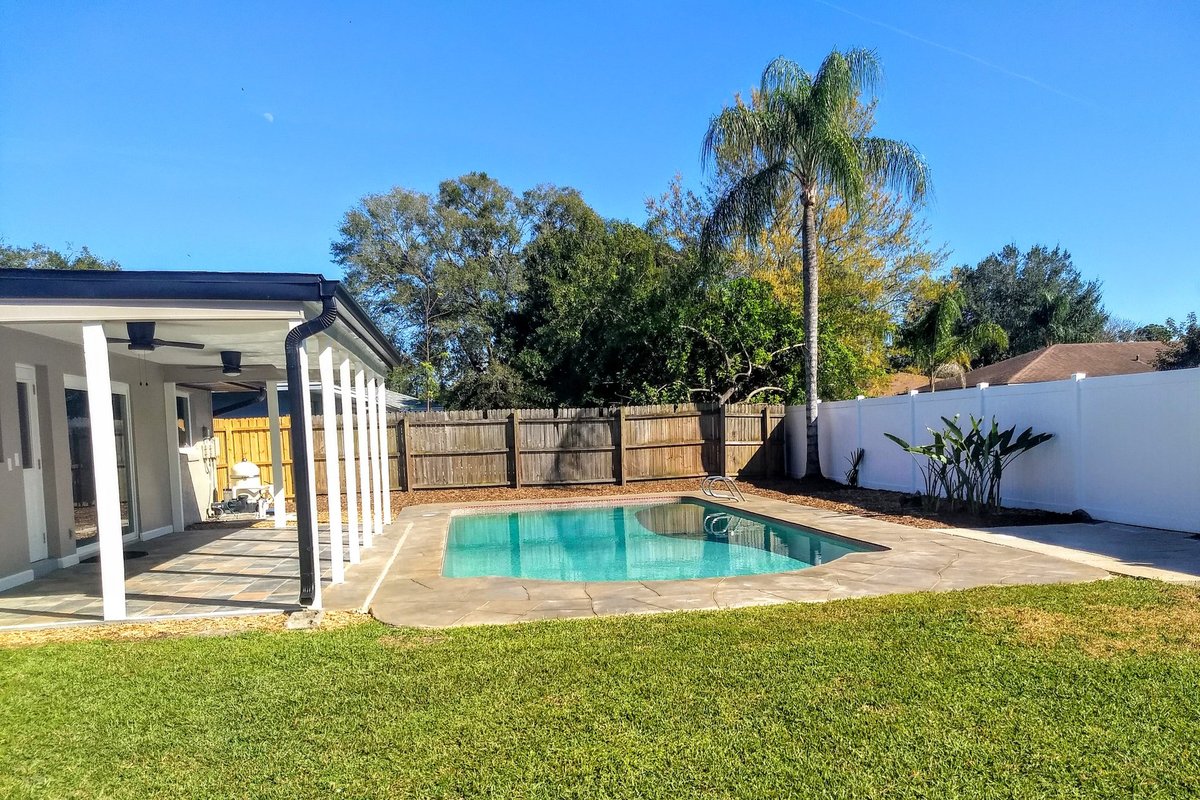
Pool Home — Backyard Oasis
And here’s the result — a sparkling pool, a fresh stamped-concrete deck, new sod, clean privacy fencing, and a covered lanai with ceiling fans. The same backyard that started as an overgrown tangle is now a true Central Florida oasis.
College Park — 1953 Vintage Reimagined
This 1953 College Park classic is getting a major transformation while keeping the character that makes these vintage Orlando homes so special. A 600-square-foot addition opens up the floor plan into a spacious new family and dining area — the kind of bright, open living space these older homes were never originally built for.
Inside, we reconfigured and enlarged the primary suite with a bigger ensuite bathroom and walk-in closet, and converted part of the oversized garage into a proper under-air laundry room. The video above is a progress update straight from the job site — real work, in real time.
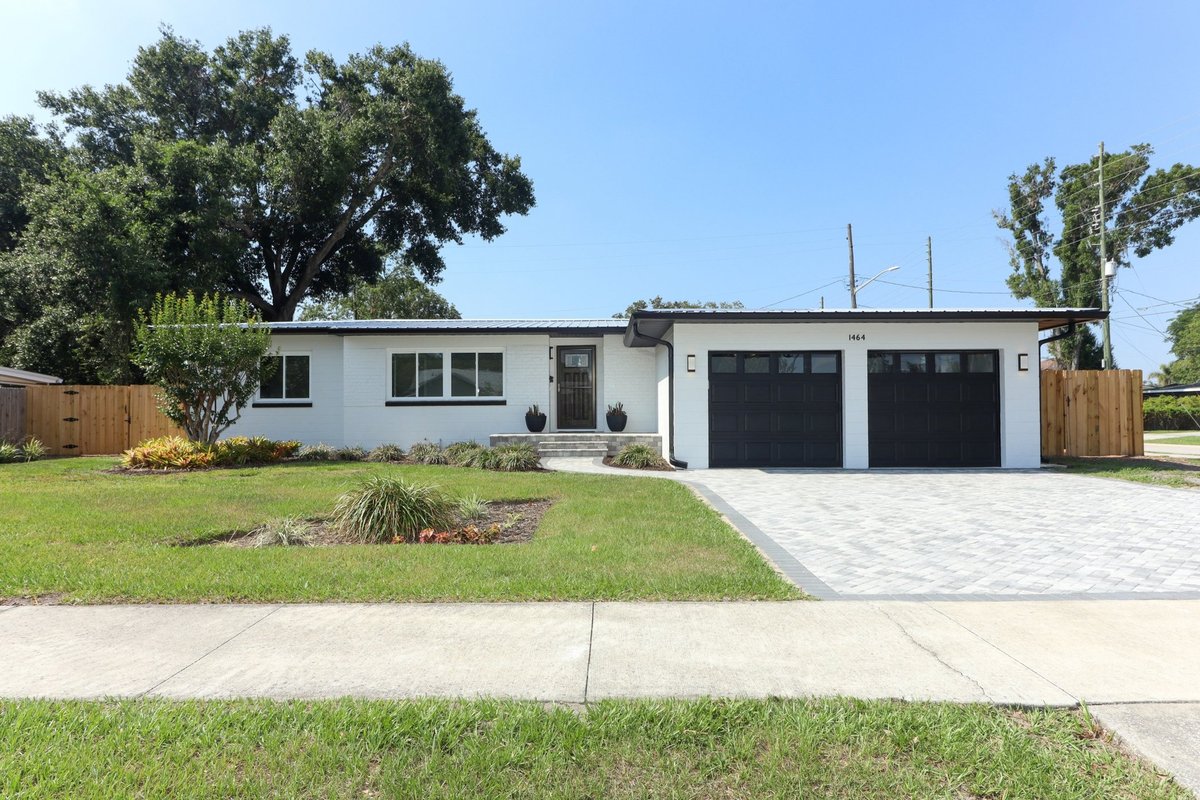
College Park — The Finished Result
Here’s the College Park house all finished. The 1953 vintage character is still there, but everything has been brought up to date — crisp white painted brick, bold black trim and garage doors, a new standing-seam metal roof, fresh landscaping, and a brand-new paver driveway and walkway.
The 600-square-foot addition blends right in like it was always part of the home. From dated 1953 ranch to a stunning, move-in-ready Orlando home.
Maitland — A Total Transformation
Watch the full before-and-after walkthrough of this Maitland remodel — a true top-to-bottom transformation. We took on the whole house: a brand-new kitchen, both bathrooms completely redone, and fresh tile throughout.
Beyond the finishes, we handled the bones — a full re-pipe, a new electrical panel, and new stucco on the exterior. The “Before” video shows the house exactly as we bought it; the “After” shows the finished, move-in-ready home.
Athena Dr. — Chuck's Story
Chuck had lived in his home for 30 years and was ready to move into a brand-new assisted living facility — except it wasn't finished yet. His house needed about $70,000 in repairs and updates he didn't want to deal with, and 30 years of belongings he didn't know what to do with. A traditional agent wasn't the right fit — if it sold too fast, he'd have nowhere to go.
We got the house under contract in the spring and simply waited — closing in October 2023 when Chuck's new place was finally ready. He left with cash in hand, his belongings handled, and zero repairs made. Chuck is now living his best life. That's a win-win.
Chuck's Before — Winter Park
This is a short walkthrough video of Chuck's house during the renovation process. The extensive demo shows the work that needed to be done to completely update the house. And Chuck didn't have to deal with any of it!
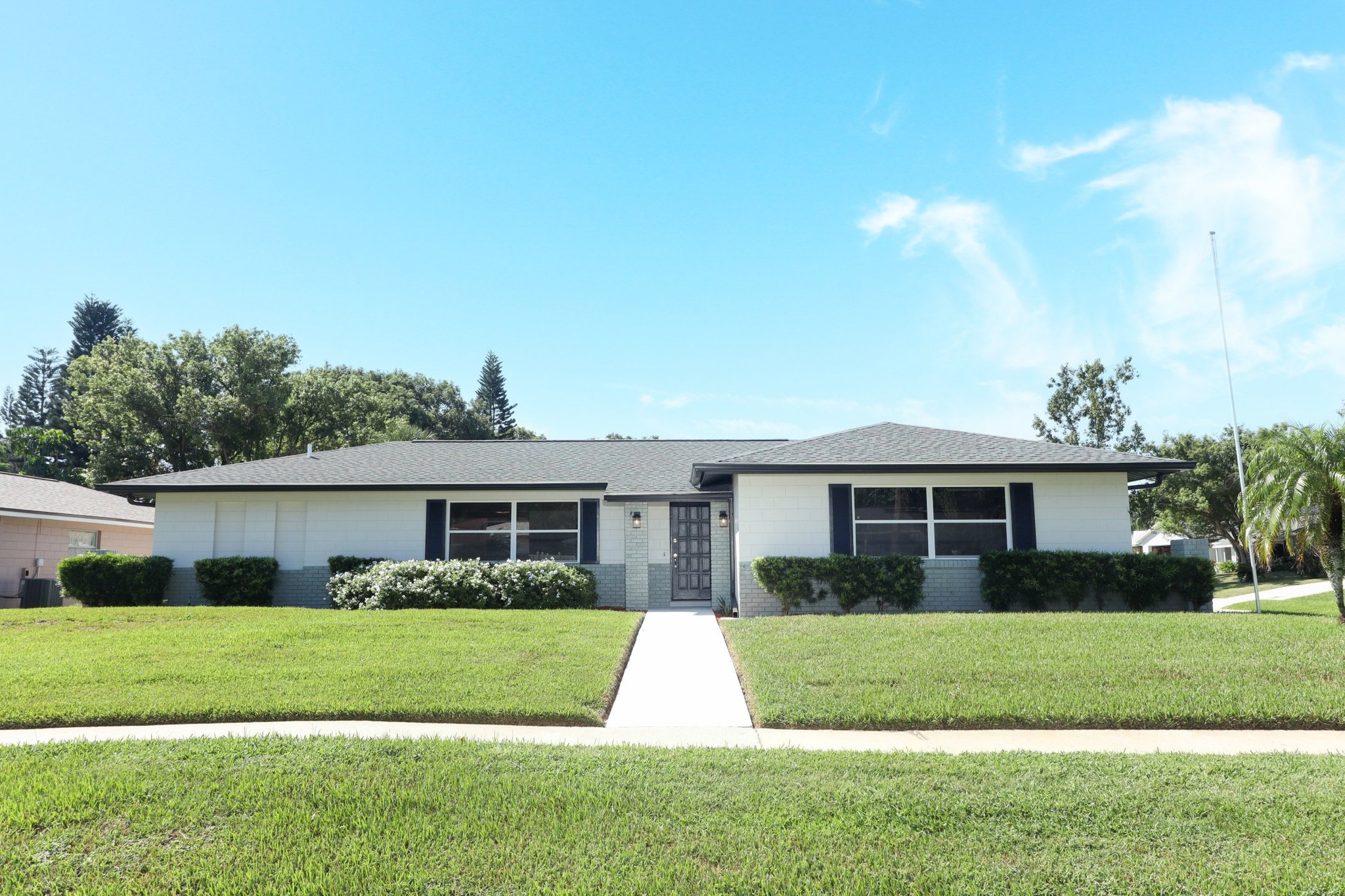
Chuck's After — Athena Dr.
Clean curb appeal, fresh landscaping, and move-in ready. Chuck walked away with cash in hand and zero repairs made — we handled everything after closing. That's the Star Home Solutions difference.
Your Photos Go Here
Once you download your Facebook photos, send them to us and we'll add your real before/after projects to this gallery.
Get a Cash Offer